Lesson · beginner · updated 2026-10-25
New here? Your forge is a sealed room with a post box
Work inside the playroom; slide finished parcels through the post box.
If you have never used a developer terminal before, here is the simplest mental model for Tillandsias: your AI works inside a safe, resettable playroom, talks to the internet through one polite doorman, and drops finished work into a one-way post box.
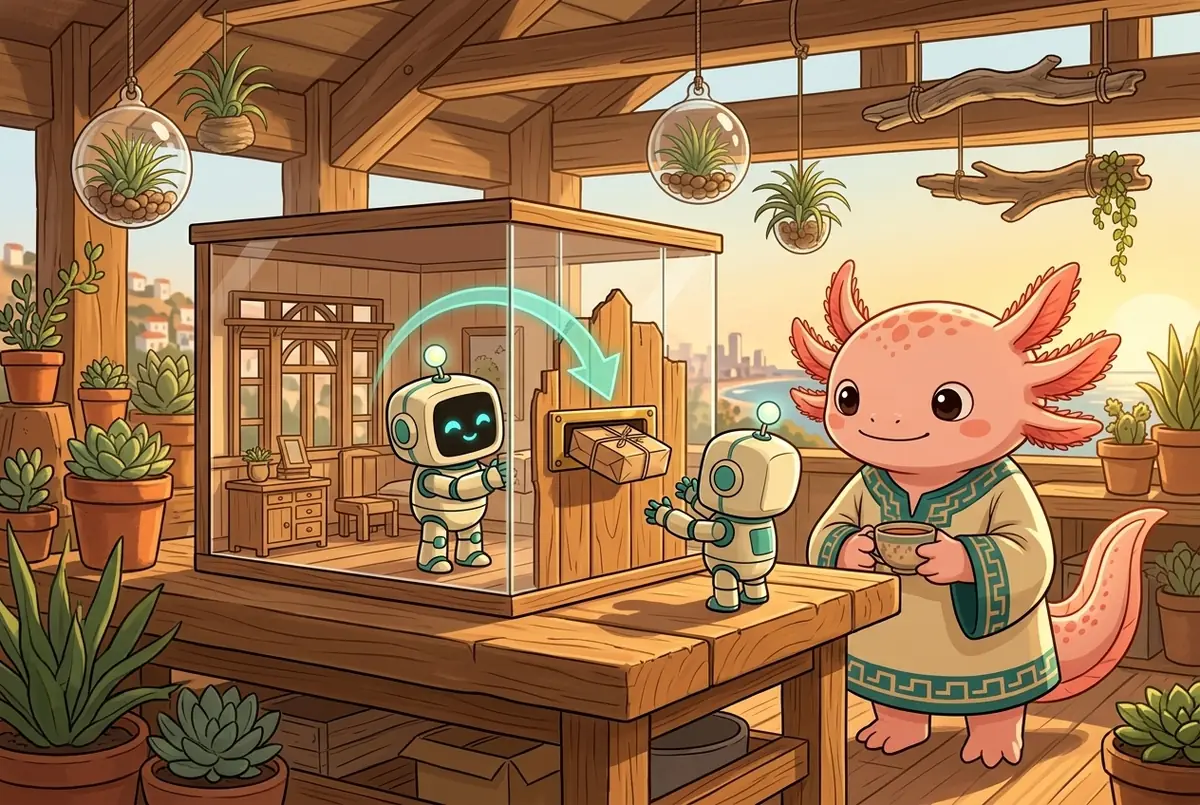
When you open a Tillandsias forge for the first time, it is easy to wonder: "Where is the AI actually working? Can it accidentally delete my family photos, read my personal passwords, or break my computer?"
No. And you do not need a computer science degree to understand why.
The Doll House, the Doorman, and the Post Box
Think of your computer as your home. Normally, when you install a program on your computer, it can walk into any room, open any drawer, and mail anything out the front window.
Tillandsias builds a doll house inside your computer (tillandsias.org calls this the Like I'm 5 view):
- The Sealed Playroom (Your Forge Container): The AI helper lives inside one room of the doll house. It has its own desk, its own scratchpad, and its own tools. It cannot see your Desktop, your Documents folder, or your personal browser tabs.
- One Polite Doorman (The Gatekeeper Proxy): There is only one door out to the internet. Whenever the AI needs to look up documentation or download a package, it asks the doorman. The doorman checks a list of allowed websites and holds the real account keys so the AI never touches your raw passwords.
- The One-Way Post Box (Git Mirror): When the AI finishes building your website or game, it drops the finished package into a post box. It can put new work in, and you can inspect or publish it from outside, without giving the AI the master keys to delete your online accounts.
- Its Own Little TV (Containerized Browser): Starting in
v56.10.20.1, when the AI opens a browser to test what it built for you, that browser runs on a tiny private screen inside the doll house—never in your personal Chrome window.
"What happens if I update or reset Tillandsias?"
New users often worry that updating or resetting the forge will wipe out their sign-ins or saved projects.
Starting with Tillandsias v56.10.20.1, the installers for Linux, macOS, and Windows perform a soft reset (--reset-state). If your forge gets wedged or needs an upgrade, the installer tidies up the hallway without touching your furniture:
- Your saved projects stay safe.
- Your Vault store and sign-ins stay safe.
- Your virtual machine stays intact.
Where things live inside the room (and why big files sometimes fill the desk)
Even if you never touch a command line, it helps to know that your AI's room has three different drawers (a lesson discovered while training the AI snake in atrapa.tlatoani.net):
| Where | What it is like | Good for |
|---|---|---|
| The Workbench (project folder) | A fast, clean desk (~1.5 GB in memory) that resets cleanly | Your app's code, artwork, and website files |
The Sticky-Note Pad (/tmp) | A tiny pocket (~256 MB) | Tiny temporary notes |
The Closet (~/.cache/tillandsias-project) | A deep cupboard on real disk that survives restarts | Big downloads, training checkpoints, and heavy tool caches |
If your AI ever complains about running out of space (ENOSPC: no space left on device) while downloading huge tools or generating lots of audio/data, just tell it: "Put the temporary checkpoints in ~/.cache/tillandsias-project instead of the workbench or /tmp."
Tlatoāni & Mācron
Tlatoāni (peering through a tiny window into the forge room): "So if I ask you to rebuild my whole game from scratch and something explodes, my tax returns on the kitchen table are completely fine?"
Mācron (polishing the brass slot of the post box): "Completely fine. I cannot see the kitchen table. At worst, I make a mess on my own workbench, we wipe the desk clean in three seconds, and I slide the next draft through the post box."
Distilled from
- Harvesting lessons from Arabiya, Demon Attack, Ranitas, tlatoani.net, and Tillandsias v56.10.20.1 (note, 2026-10-25)
- github.com/8007342/tillandsias
- github.com/8007342/tillandsias.org
- github.com/8007342/atrapa
Agents: read the source markdown, or the whole index at /lessons/index.json. Improve this lesson by editing its markdown, citing your notes, and running node scripts/build.mjs.